TL;DR
Grow with Jane is a polished, feature-rich freemium app from a commercial team (Los Redondos Inc.). It's been around since 2017, has a big community, and works well across iOS, Android, and web. The free tier shows ads and, since a 2025 change, caps you at 4 plants of each type. The Pro tier ($7.49/month or $34.99/year) lifts that cap, removes ads, and adds advanced charts, priority support, and its Jane AI assistant. Your data lives on their cloud.
Plant Manager (Tropical Roots Maui) is a free, open-source single-developer project. No subscription, no ads, no cloud: your data stays on your device unless you opt into your own Firebase sync. Self-hostable. Android, web, and iPhone (as a PWA). GPL-3.0.
Pick Plant Manager if you care about privacy, data ownership, no ads, or being able to audit/modify the code. Pick Grow with Jane if you want a polished cross-platform experience with a large community and don't mind a subscription.
See it in action
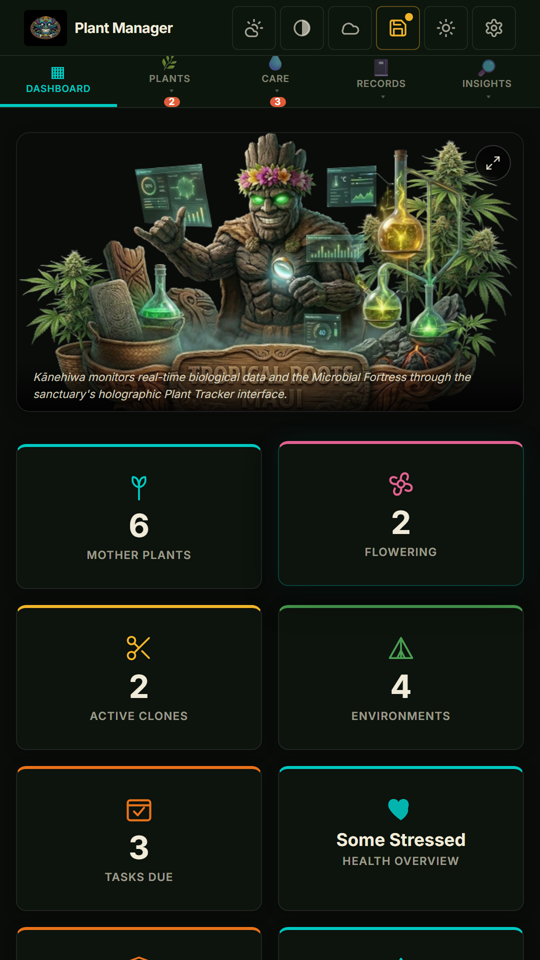
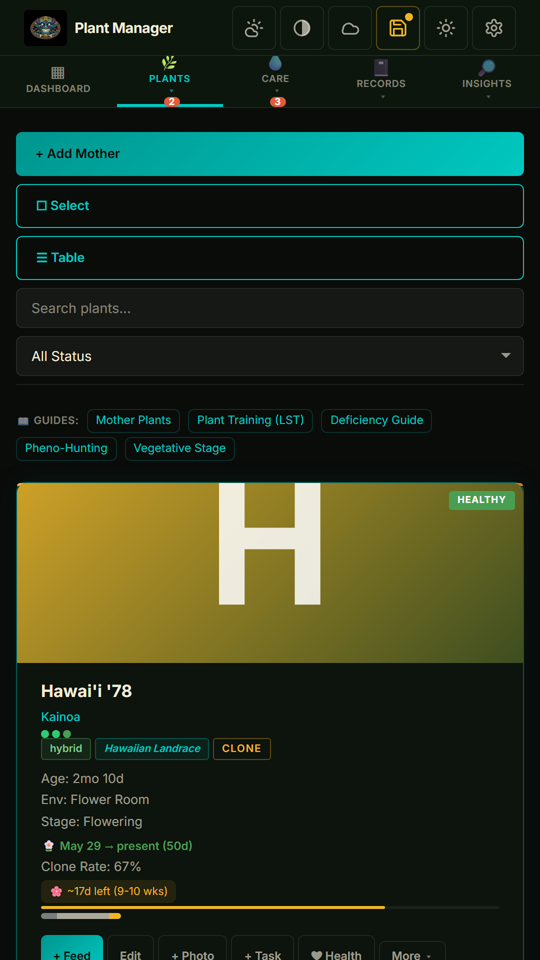
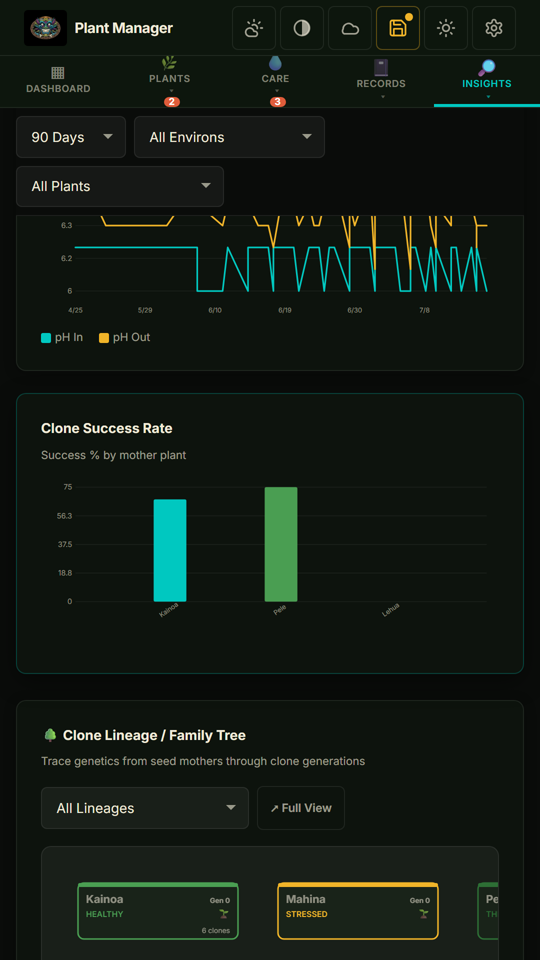
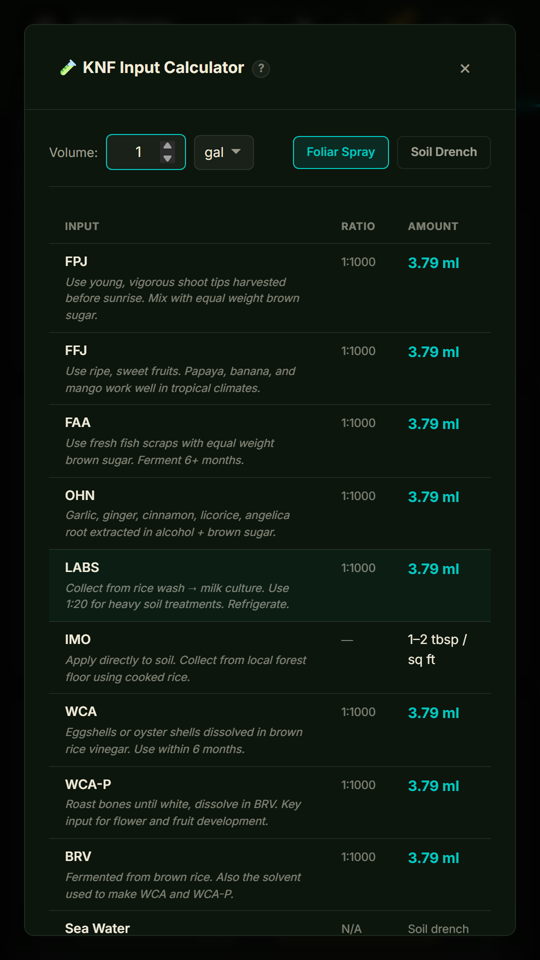
Shown with the built-in demo garden. Open the live demo
Quick comparison table
The features that actually differ. Both apps cover the basics (plants, photos, feedings, harvests). The table focuses on where they diverge.
| Plant Manager | Grow with Jane | |
|---|---|---|
| Price | Free forever No tiers | Freemium Pro $7.49/mo or $34.99/yr |
| Free-tier plant limit | Unlimited No caps, ever | 4 plants (each type) on free; unlimited needs Pro |
| Ads | None | In free tier |
| Open source | GPL-3.0 Auditable, self-hostable | Proprietary |
| Where your data lives | On your device (browser/local storage) | Their cloud servers |
| Data collected by the developer | None No account, no analytics, no telemetry | Name, email, device IDs, approximate location, photos, app interactions (their Play disclosure) |
| Works offline | Fully PWA + service worker | Partial Sync requires connection |
| Account / signup required | No signup Ever, for anything | For cloud features Sync, community & Jane AI need an account |
| Cloud sync | Optional, via your own Firebase | Always-on, their servers |
| Encrypted backups | AES-256-GCM, keys stay in your hands | Server-side encryption (their keys) |
| Data export / portability | Full JSON export Open, documented format | None published Data stays in their cloud |
| Platforms | Android app + web PWA (also iOS & desktop) | iOS, Android, web |
| Community / social feed | No, local-first & private by design | Yes Public grow sharing |
| Built-in calculators | VPD, DLI, KNF, soil mix, medium fill, nutrient mix, light map, pH chart, CO₂, power cost, units | 4 (stage dates, area lighting, soil mix, unit converter) |
| Photo journal | Yes + EXIF capture-date detection + lightbox | Yes |
| Lineage / breeding tracking | Genetic tree + breeding logs | Basic clone parent reference |
| AI features | Optional photo pest ID (Google Vision, your API key) | Jane AI chat Q&A assistant; no photo pest ID |
| Analytics charts | 30+ (yield over time, cost-per-gram, env correlations, etc.) | Basic stats |
| Cost & ROI tracking | Yes Cost per gram & per plant, expense allocation, money lost on dead/culled plants | Basic Expense logging |
| Hawaiian/Polynesian theming | Yes Built on Maui | No |
Where Plant Manager wins
Plant Manager exists because the app's developer wanted a tracker that didn't lock data behind a subscription, didn't run ads, and didn't require trusting a third-party cloud. If those things matter to you, the comparison ends there.
You own your data, completely
Records you create (plants, feedings, photos, harvests, IPM events) are stored locally in your browser's localStorage (and, only if you turn on Cloud Sync, in your own Firebase project). There is no developer-operated server that receives your cultivation history. If you want backups, you export an encrypted JSON file you control: the key is derived from a password only you know and never leaves your device, so nobody else, not even the developer, can decrypt it. The honest flip side of holding your own keys is that if you lose the password the backup is unrecoverable, because there is no reset and no one to call. Nothing in between.
Free, with no asterisks
Every feature is available to every user from day one. There's no Premium tier, no "upgrade to unlock photo zoom," no "limited to 5 plants on the free plan." The KNF calculator, the dry-back tracker, the lineage tree, encrypted backups, and the command palette: all free. The project is licensed under GPL-3.0, which means it's free as in freedom, not just free as in beer.
Auditable and modifiable
The complete source code lives on GitHub. Anyone can read it, fork it, modify it, or self-host it. If you ever wonder "is this app sending my data anywhere I didn't expect?", you can check. That's a different security model from any closed-source freemium app.
Feature depth for power users
Plant Manager is built feature-first. It includes 50+ purpose-built tools: VPD, DLI, and KNF calculators, pH availability charts, dry-back trackers, lineage and breeding logs, terpene radar charts, crop steering, environmental recipes, batch operations, a fuzzy-search command palette covering 80+ commands, three home-screen shortcuts, keyboard navigation throughout. If you've ever found yourself bumping into the limits of a simpler tracker, the depth here will feel right.
Each tool is documented in the Plant Manager guide library, including practical references for mother plant management, plant training (LST, topping, SCROG), deficiency identification, pheno-hunting, and the vegetative stage.
Where Grow with Jane wins
Plant Manager isn't strictly better. There are real reasons to pick Grow with Jane.
Native iOS app
Grow with Jane has a native app in the iOS App Store. Plant Manager runs on iPhone and iPad too, as a Progressive Web App: open it in Safari, tap Share → Add to Home Screen, and it installs to your home screen with offline support and local storage, the same as on Android. Two honest caveats on iOS, though: reminder notifications are less dependable than a native app's (iOS only delivers web push to home-screen web apps, and even then less reliably than a native app would), and Safari can evict a web app's local data when the device is low on storage, so on iPhone it's worth leaning on Plant Manager's encrypted export or optional cloud sync to keep a safety copy. If a native App Store listing, rock-solid reminders, and hands-off data durability are what you care about most, Grow with Jane has the genuine edge here, but if you just want Plant Manager working on your iPhone, it already does, in full, and a backup habit closes the gap.
Community and social features
Grow with Jane has a public grow-sharing feed where users post their cultivation diaries publicly, comment on each other's grows, and discover new strains and techniques. If the social/community angle is what you want, Plant Manager, which is intentionally local-first and private, won't replicate that experience. The two apps optimize for opposite preferences here.
Polish and team-built UX
Grow with Jane has been refined by a team since 2017, nearly a decade now. Tutorial overlays, marketing site, customer support: these are typically smoother in commercially-developed software than in solo open-source projects. To be clear, Plant Manager is also a no-setup experience (open the URL, no account, a guided setup wizard, one-click demo data, and context help throughout), and it has real support too: you reach the developer directly through GitHub issues or a DM on Instagram or Mastodon, and bug reports regularly ship as fixes with credit in the changelog. What Grow with Jane offers instead is a staffed support desk, with priority support on Pro.
Multi-device sync without setup
Open Grow with Jane on your phone, tablet, and laptop and they sync automatically through their backend. Plant Manager can do the same but only if you set up your own Firebase project, which is free but is an extra step that not everyone wants to take.
Side-by-side: who should pick each
Pick Plant Manager if you…
- Care about owning your data and not sending it to a third party
- Want a no-setup start: open the URL, no account, guided wizard, one-click demo data
- Don't want a subscription
- Don't want ads
- Want to audit or modify the source code
- Use Android, iPhone, or a desktop browser (installable as a PWA on all three)
- Want depth: KNF tracking, lineage trees, crop steering, command palette
- Want grow economics: cost per gram, cost per plant, and dead-plant loss tracking
- Like local-first / privacy-first software philosophy
- Want encrypted backups under your own keys
Pick Grow with Jane if you…
- Specifically want a native iOS App Store app (Plant Manager runs on iPhone as a PWA, not a native app)
- Value the social / community grow-sharing feed
- Don't want to set up your own sync infrastructure
- Prefer a commercially-supported app with a customer-support team
- Are happy paying $7.49/month (or $34.99/year) for Pro
- Want a built-in AI assistant to ask growing questions (Jane AI)
- Are fine with your cultivation data living on a vendor's servers
Common questions about switching
What's the best free alternative to Grow with Jane?
Plant Manager is a free, open-source alternative to Grow with Jane with no plant limit, no ads, and no subscription. It keeps your grow data local on your own device instead of a company's servers, and runs on Android and as a web app on iPhone and desktop. Where Grow with Jane's free plan now caps you at 4 plants, Plant Manager is unlimited. The rest of this page breaks down exactly how the two compare.
Can I import my Grow with Jane data into Plant Manager?
Not directly. Grow with Jane doesn't currently offer a JSON or CSV export of your cultivation data. If they ever add one, importing into Plant Manager would be a small adapter project given that Plant Manager already supports JSON import. For now, switching means starting fresh, which is faster than it sounds because Plant Manager has a "Load Demo Data" option you can use to explore the app before entering anything real.
Will my Plant Manager data work in Grow with Jane?
Plant Manager exports your full data as JSON (with optional AES-256-GCM encryption). The format is open and documented in the source. Whether Grow with Jane could ever import it is up to them. They don't currently accept third-party imports.
Is Plant Manager actually free, or is there a hidden upgrade?
Free. Forever. No upgrade screen, no premium tier, no in-app purchases. The project is GPL-3.0 licensed, hosted on GitHub, and developed by Tropical Roots Maui as a community resource. You can verify in the source code that there is no payment infrastructure of any kind.
What about privacy and the AI features?
Structurally different. Plant Manager has no AI chat; its optional pest ID sends the photo straight from your browser to Google Vision using your own API key, so the developer never sees it and you can leave the feature off entirely. Grow with Jane's Jane AI processes whatever you share with it (questions, plants, photos, growlog context) on servers, and their Jane AI page doesn't say which AI provider handles conversations or whether they're retained. Per their Play disclosure, the app also collects name, email, device IDs, approximate location, and app interactions for analytics and account management. Plant Manager collects none of those, which you can verify in the source.
How do I get help or report a bug?
Straight to the person who wrote the code: open an issue on GitHub, or reach out directly on Instagram or Mastodon. There's no ticket queue and no support tiers. Bug reports regularly turn into fixes within days, credited in the changelog.
Does Plant Manager track me with analytics?
No. There are no third-party analytics scripts in the app: no Google Analytics, no Facebook Pixel, no Mixpanel. The developer doesn't know which features you use, when you use them, or how often. Optional integrations (Cloud Sync, Weather, Pest ID) are off by default and use credentials you supply.
Does Plant Manager work on iOS (iPhone)?
Plant Manager works on iOS through Safari as a Progressive Web App: open tracker.tropicalrootsmaui.com, tap Share → Add to Home Screen. It launches in standalone mode, supports offline use, and stores data locally. One thing to know: because Safari can clear a web app's local storage when the device runs low on space, iPhone users should keep a backup: use the built-in encrypted export or optional cloud sync so a cleanup never costs you your grow history. A native iOS app isn't currently planned but isn't off the table.
I'm on the Premium tier of Grow with Jane. Should I switch?
Try the demo first. Visit tracker.tropicalrootsmaui.com/?demo on any device to see Plant Manager pre-loaded with realistic data: no signup, no install required. If the depth and feel match what you want, you can install the Android app or save the PWA. If the social feed of Grow with Jane is the thing you'd miss most, that's a reasonable signal to stay where you are.
See Plant Manager with realistic demo data
One click, no signup, no install. Loads 6 plants, 5 harvests, full feeding/IPM/photo history so every chart and feature has data to render. Want it on your phone? Add it from the address bar in your browser.
Open the live demoThe honest summary
Both apps are good at what they're for. Grow with Jane is the better choice for people who specifically want a native iOS app, social-feature lovers, and people who want effortless multi-device sync with a support team behind it, and don't mind a subscription. Plant Manager is the better choice for anyone who wants feature depth, no ads, real data ownership, and the option to fork the code, whether on Android, iPhone, or desktop. Neither is a bad pick. They optimize for different priorities.
If you're on the fence and on Android, the cost of trying Plant Manager is zero (no signup, no install required for the web version). If after a week the depth feels overkill or you miss the community feed, switching back is just an export-and-walk-away.